🎉Ultra is live · 50% off — limited time
Local converter

JPG to DXF Converter

Convert JPG files to DXF locally in your browser for faster handoff across 3D tools.

Processed locally
No signup required
Files stay on your device
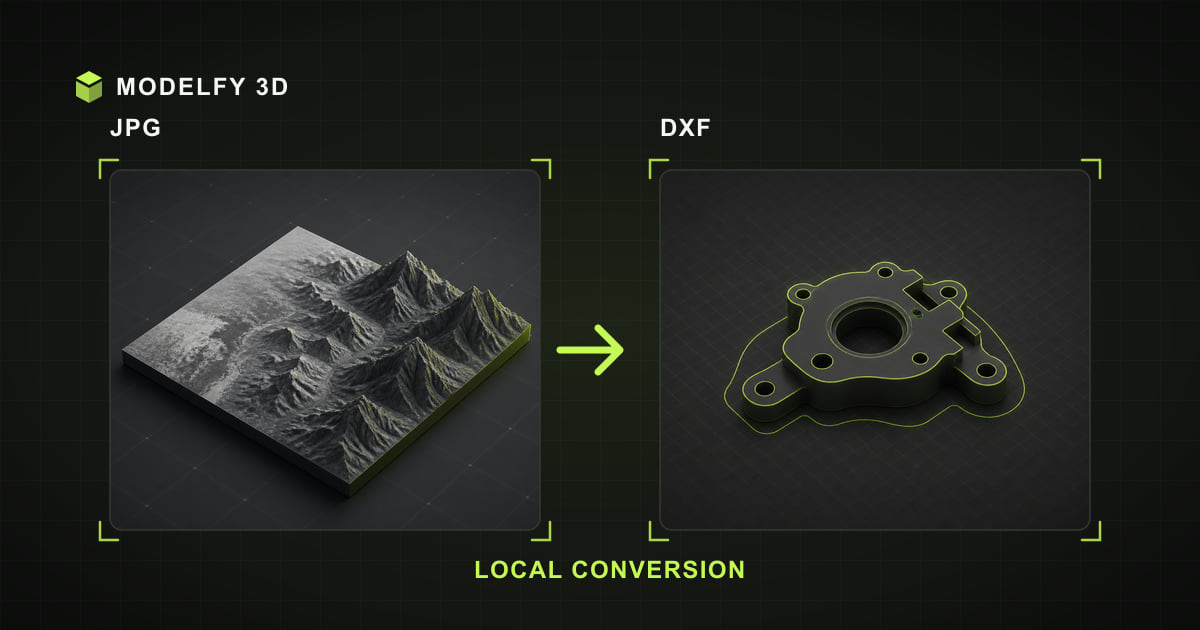
Browser-local JPG to DXF conversion illustration

Private browser conversion

Files are converted locally in your browser.

1Upload2Convert3Download

Browser-local workflow

How this tool works

  1. Step 1

    JPG

    Choose a JPG file from this device.

  2. Step 2

    Browser-local conversion

    The supported geometry is converted in this browser.

  3. Step 3

    DXF

    Download the DXF result when conversion is complete.

Limited

  • Geometry

Direct answer

What happens when you convert JPG to DXF?

Modelfy converts JPG to DXF locally in your browser by reading image brightness as a height map and generating an embossed relief mesh. This creates new 3D geometry; it is not a lossless copy of the flat image.

Before you convert

JPG to DXF compatibility

These results describe Modelfy's current browser loader and exporter, not every feature allowed by the file specifications.

Data preserved, limited, or lost when converting JPG to DXF
DataResultWhat this implementation does
GeometryLimitedModelfy samples image brightness as a height map and builds a new embossed relief mesh.
MaterialsNot in sourceJPG does not define materials to carry into DXF.
TexturesNot in sourceJPG does not define textures to carry into DXF.
Vertex colorsNot in sourceJPG does not define vertex colors to carry into DXF.
AnimationNot in sourceJPG does not define animation to carry into DXF.
Scene hierarchyNot in sourceJPG does not define scene hierarchy to carry into DXF.
Units and scaleNot in sourceJPG does not define units and scale to carry into DXF.

Verify after export

  • Inspect the relief depth and surface detail; brightness is interpreted as height.
  • Confirm scale and units when opening the DXF file in the destination application.
  • Open the DXF in the destination CAD tool and confirm that triangle 3DFACE surfaces suit the workflow.

Why choose this JPG to DXF converter

Local JPG decoding

The selected JPG model file is decoded and rewritten as DXF on your device; the model file is not uploaded to Modelfy.

JPG to DXF data report

The compatibility table explains how this browser pipeline rewrites JPG data for DXF.

DXF output checks

Geometry is limited; review the implementation detail and verify the downloaded file in your destination tool.

Preview before export

Inspect the browser preview before converting, then use the post-export checklist to confirm the DXF result.

How to convert JPG to DXF online

  1. 01

    Upload your JPG file

    Drag and drop the file into the converter, or click Upload. JPG inputs up to 25 MB are processed locally.

  2. 02

    Convert to DXF

    Preview the model in 3D, then click Convert. The conversion runs locally in the browser; processing time depends on model complexity and device resources.

  3. 03

    Download the DXF file

    Your DXF file downloads straight to your device, ready for the next tool in your pipeline.

About the JPG file format

JPEG (Joint Photographic Experts Group)

JPEG compression made digital photography practical, and .jpg remains the most common image format in existence. Its strength is smooth photographic gradients.

Those smooth brightness gradients translate naturally into 3D relief height, which is why photo-to-3D conversion works especially well from JPG sources.

Format reference: JPEG committee standards overview

Strengths

  • Smallest files for photographs
  • Smooth tonal gradients
  • Captured by every camera and phone

Commonly used for

  • Photo relief and lithophanes
  • Portrait keepsake prints
  • Terrain-style height maps

About the DXF file format

Drawing Exchange Format

DXF was introduced by Autodesk in 1982 as an open, text-based twin of the DWG drawing format. It describes drafting entities — lines, polylines, arcs, circles — and 3D geometry as 3DFACE entities or polyface meshes.

This browser tool renders both: 2D drawings appear as line work, while 3DFACE and polyface entities render as solid meshes.

Format reference: Autodesk DXF reference

Strengths

  • Open, text-based CAD exchange
  • Universal 2D drafting support
  • 3DFACE mesh geometry support

Commonly used for

  • 2D drafting exchange
  • Laser cutting and CNC outlines
  • Legacy CAD data recovery

Frequently asked questions

Is my JPG model file uploaded to a server?

The selected JPG model file is processed by the browser and is not uploaded to Modelfy. Website code and static assets still load over the network like a normal web page.

How does a flat image become a 3D DXF model?

The image is read as a height map: bright pixels are raised and dark pixels stay low, producing an embossed relief on a solid printable base. High-contrast images with a clear subject give the best results.

Will I lose quality converting JPG to DXF?

The source image is used as a height map to generate new relief geometry, so the result is a 3D interpretation rather than an identical copy. Image resolution, contrast, and the target format determine how much surface detail is preserved.

Is the JPG to DXF converter free to use?

Yes. The browser viewer, converter, and local 3D text tool require no account and add no watermark. Input limits vary by format, up to 50 MB; AI model generation is a separate credit-based product.

What is the maximum file size?

JPG inputs up to 25 MB are accepted. The format-specific limit keeps browser-local parsing bounded; actual processing also depends on available memory, model complexity, and device performance.

Can a 2D DXF drawing be converted to a 3D model?

Drawings with closed polylines or circles are extruded into solid 3D shapes during conversion. Files containing only open curves (individual lines and arcs) have no enclosed area to extrude and cannot form a mesh.

Related converters

AI 3D generation

From a single image to a production-ready 3D model

These browser tools stay free for viewing and converting files you already have. When the model does not exist yet, Modelfy generates a textured mesh from one reference image — the first one is free.