🎉Ultra is live · 50% off — limited time
Local converter

GIF to STL Converter

Convert GIF files to STL locally in your browser for faster handoff across 3D tools.

Processed locally
No signup required
Files stay on your device
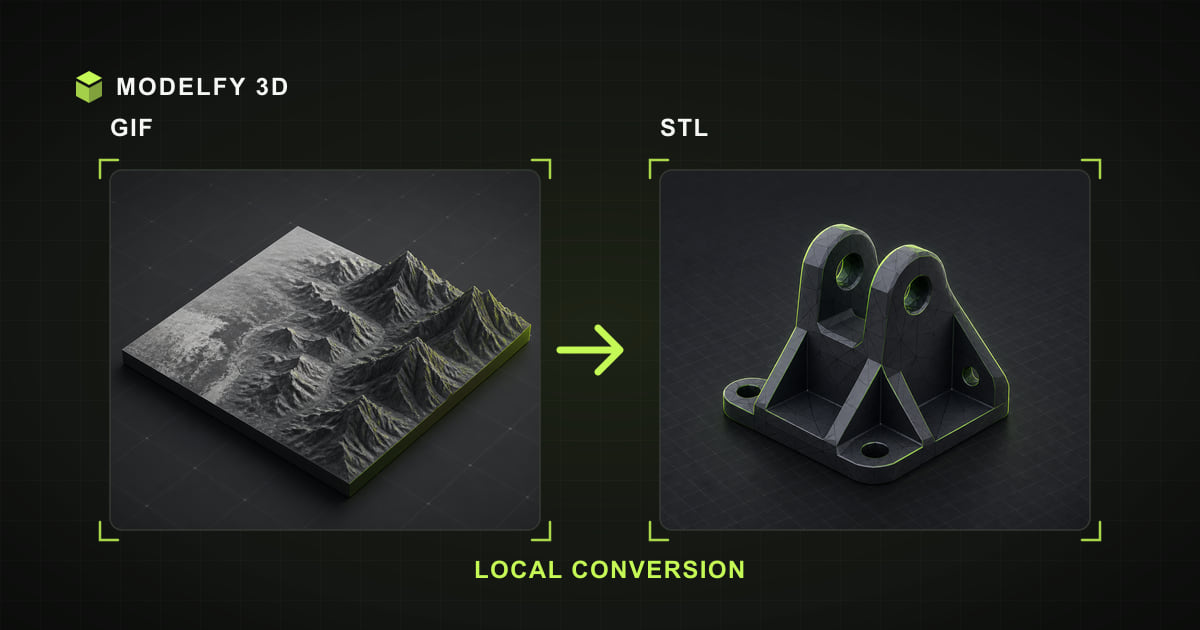
Browser-local GIF to STL conversion illustration

Private browser conversion

Files are converted locally in your browser.

1Upload2Convert3Download

Browser-local workflow

How this tool works

  1. Step 1

    GIF

    Choose a GIF file from this device.

  2. Step 2

    Browser-local conversion

    The supported geometry is converted in this browser.

  3. Step 3

    STL

    Download the STL result when conversion is complete.

Limited

  • Geometry

Direct answer

What happens when you convert GIF to STL?

Modelfy converts GIF to STL locally in your browser by reading image brightness as a height map and generating an embossed relief mesh. This creates new 3D geometry; it is not a lossless copy of the flat image.

Before you convert

GIF to STL compatibility

These results describe Modelfy's current browser loader and exporter, not every feature allowed by the file specifications.

Data preserved, limited, or lost when converting GIF to STL
DataResultWhat this implementation does
GeometryLimitedModelfy samples image brightness as a height map and builds a new embossed relief mesh.
MaterialsNot in sourceGIF does not define materials to carry into STL.
TexturesNot in sourceGIF does not define textures to carry into STL.
Vertex colorsNot in sourceGIF does not define vertex colors to carry into STL.
AnimationNot in sourceGIF does not define animation to carry into STL.
Scene hierarchyNot in sourceGIF does not define scene hierarchy to carry into STL.
Units and scaleNot in sourceGIF does not define units and scale to carry into STL.

Verify after export

  • Inspect the relief depth and surface detail; brightness is interpreted as height.
  • Confirm scale and units when opening the STL file in the destination application.

Why choose this GIF to STL converter

Local GIF decoding

The selected GIF model file is decoded and rewritten as STL on your device; the model file is not uploaded to Modelfy.

GIF to STL data report

The compatibility table explains how this browser pipeline rewrites GIF data for STL.

STL output checks

Geometry is limited; review the implementation detail and verify the downloaded file in your destination tool.

Preview before export

Inspect the browser preview before converting, then use the post-export checklist to confirm the STL result.

How to convert GIF to STL online

  1. 01

    Upload your GIF file

    Drag and drop the file into the converter, or click Upload. GIF inputs up to 25 MB are processed locally.

  2. 02

    Convert to STL

    Preview the model in 3D, then click Convert. The conversion runs locally in the browser; processing time depends on model complexity and device resources.

  3. 03

    Download the STL file

    Your STL file downloads straight to your device, ready for the next tool in your pipeline.

About the GIF file format

Graphics Interchange Format

GIF stores images with a 256-color palette and optional animation frames. It remains everywhere on the web thanks to memes and simple graphics.

For 3D conversion, the first frame of the GIF is used. Its flat palette regions produce stepped, poster-like relief levels that work well for logos and pixel art.

Format reference: W3C GIF89a specification

Strengths

  • Ubiquitous legacy support
  • Flat color regions convert cleanly
  • Animation container (first frame used)

Commonly used for

  • Logo and pixel-art relief
  • Retro graphics conversion
  • Simple stepped height maps

About the STL file format

Stereolithography

STL (stereolithography) describes a model as a raw list of triangles. It carries no color, texture, or unit information — just geometry — which is exactly what slicers and 3D printers need.

Both binary and ASCII STL variants exist; binary files are far smaller and are what this tool reads and writes.

Format reference: Library of Congress STL format description

Strengths

  • Native language of 3D printing workflows
  • Simple, robust triangle soup
  • Widely supported by slicers and CAD tools

Commonly used for

  • 3D printing and slicing
  • Rapid prototyping
  • CNC and manufacturing previews

Frequently asked questions

Is my GIF model file uploaded to a server?

The selected GIF model file is processed by the browser and is not uploaded to Modelfy. Website code and static assets still load over the network like a normal web page.

How does a flat image become a 3D STL model?

The image is read as a height map: bright pixels are raised and dark pixels stay low, producing an embossed relief on a solid printable base. High-contrast images with a clear subject give the best results.

Will I lose quality converting GIF to STL?

The source image is used as a height map to generate new relief geometry, so the result is a 3D interpretation rather than an identical copy. Image resolution, contrast, and the target format determine how much surface detail is preserved.

Is the GIF to STL converter free to use?

Yes. The browser viewer, converter, and local 3D text tool require no account and add no watermark. Input limits vary by format, up to 50 MB; AI model generation is a separate credit-based product.

What is the maximum file size?

GIF inputs up to 25 MB are accepted. The format-specific limit keeps browser-local parsing bounded; actual processing also depends on available memory, model complexity, and device performance.

Which frame of an animated GIF is converted?

The first frame. Export the frame you want as PNG or JPG if you need a different moment from the animation.

Why does my STL file have no color?

The STL format only stores triangle geometry. Colors, materials, and textures are not part of the specification, so every STL viewer assigns its own display material.

Related converters

AI 3D generation

From a single image to a production-ready 3D model

These browser tools stay free for viewing and converting files you already have. When the model does not exist yet, Modelfy generates a textured mesh from one reference image — the first one is free.